

Table of Contents
- Does ChatGPT Include Automation?
- How to Automate on ChatGPT
- Step 1: Turn your prompts into reusable templates
- Step 2: Use triggers to run prompts automatically
- Step 3: Connect ChatGPT to your existing tools
- Step 4: Build simple workflows
- Step 5: Use scheduling and batching
- Best Prompt Automation Tools on ChatGPT
- 1. Intellectualead
- 2. ChatGPT Tasks
- 3. Zapier + ChatGPT
- FAQ
- What is ChatGPT prompt automation?
- What are the main benefits of prompt automation?
- Can ChatGPT automate tasks on its own?
- Do you need coding skills to automate prompts?
- What is the biggest mistake people make with prompt automation?
- Can prompt automation replace human work?
Sometimes on ChatGPT you realize you’re doing the same work… again and again.
You open ChatGPT. You paste a prompt. You run it.
In this guide, you will learn what ChatGPT prompt really is, and how to automate your prompting step by step.
Does ChatGPT Include Automation?
ChatGPT does include some automation-related features, but it does not provide a complete automation system out of the box.
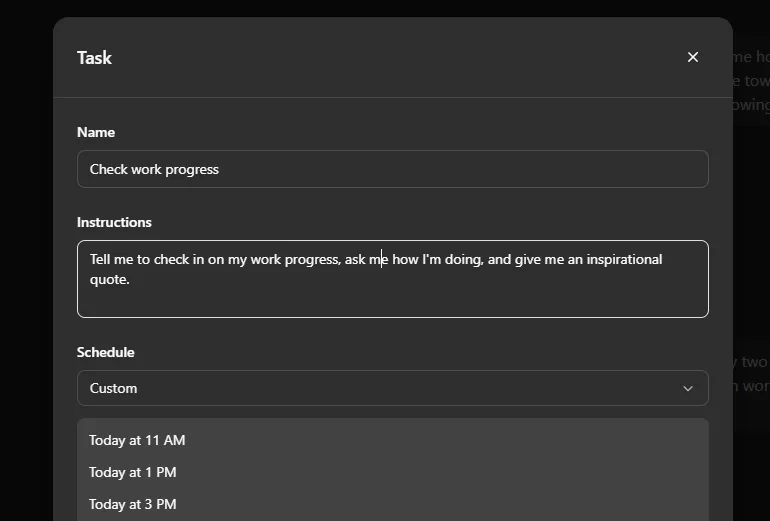
For example, it now supports scheduled tasks, which allow you to run prompts at specific times or on a recurring basis.
That means you can automate simple actions like:
- generating a daily summary
- creating recurring reports
- running predefined prompts at set intervals
This is a step forward.
But it is still limited.
How to Automate on ChatGPT
If you want to automate your prompts, you should not start with tools.
You should start with your prompts themselves.
Step 1: Turn your prompts into reusable templates
Most users treat prompts as one-time inputs.
They write something, get a result, and move on.
But if you want to automate your workflow, you need to change that approach.
Instead of writing new prompts every time, you should:
- save the prompts that work
- refine them based on results
- turn them into templates you can reuse
This step is essential because automation depends on consistency. If your prompts change every time, your outputs will too.
Step 2: Use triggers to run prompts automatically
Automation starts when you stop triggering prompts manually.
A trigger is simply an event that launches a prompt without you having to type it yourself.
For example:
- a new row added to a spreadsheet
- a form submission
- a scheduled time (daily, weekly, etc.)
With automation tools, you can connect these triggers to ChatGPT so that prompts run automatically when something happens.
For example:
- A new topic is added to a Google Sheet
- A prompt is automatically sent to ChatGPT
- ChatGPT generates a blog outline
- The result is saved in a document
Step 3: Connect ChatGPT to your existing tools
ChatGPT becomes much more powerful when it is connected to other tools you already use.
Platforms like Zapier allow you to integrate ChatGPT with tools such as:
- Google Sheets
- Gmail
- Slack
- CMS platforms
This allows you to automate tasks like:
- generating content from structured data
- summarizing incoming information
- drafting emails based on user inputs
Instead of opening ChatGPT every time, your workflows run automatically in the background.
Step 4: Build simple workflows
Once you are comfortable with basic automation, you can start connecting multiple steps together.
For example, instead of generating content in one step, you can create a sequence:
- generate an outline
- expand it into a draft
- rewrite for clarity
- format for publishing
Each step feeds into the next.
This creates a workflow that produces more structured and higher-quality results.
Step 5: Use scheduling and batching
You can also automate prompts based on time or volume.
For example:
- run prompts every day at a specific hour
- generate weekly reports automatically
- process multiple prompts in batches
This is especially useful if you are producing content regularly and want to reduce repetitive work.
Best Prompt Automation Tools on ChatGPT
If you want to automate your prompts,
You need a system that helps you save prompts, turn them into reusable templates, fill variables quickly, and launch them inside your actual workflow.
Here are the main types of tools worth knowing.
1. Intellectualead
What it is:
Intellectualead is an AI workflow system that allows you to run automated prompt template automation & sequences.
Features
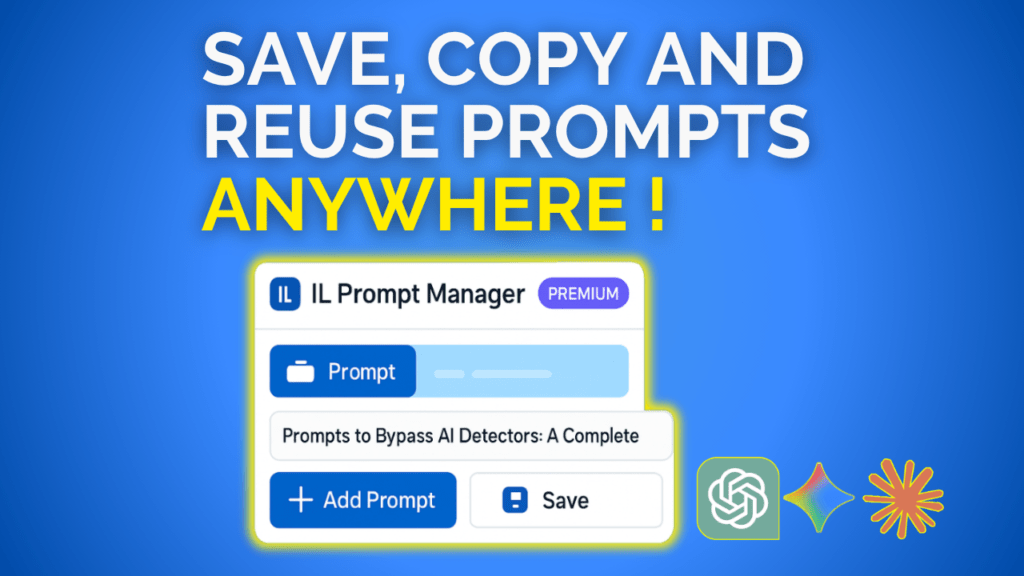
Prompt Saver & Manager
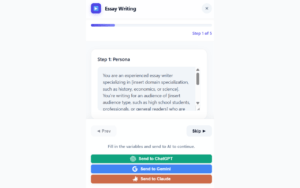
You can instantly and securely save, organize, and fire off prompts inside ChatGPT, Claude, and Gemini through its Chrome extension. You can create your own templates or highlight text anywhere on the web and save it directly into your library.
Templates & Automation
You can chain your favorite prompts into automated multi-step workflows and design fill-in-the-blank structures so you only enter the core variables while the larger logic stays in place.
Free entry point
All the core features, including saving unlimited prompts, organizing them, and using them in ChatGPT, are completely free.
Use For Free Intellectualead ChatGPT Automation Here
2. ChatGPT Tasks
What it is:
ChatGPT now includes scheduled tasks, which let you set one-time or recurring prompts that run automatically at a specific time. OpenAI describes this as a way to automate work with tasks in ChatGPT, including recurring briefings, reminders, and other repeated prompt-based actions.
What it does well:
It is useful for simple automation. If you want a daily summary, a recurring reminder, or a scheduled prompt that runs at a fixed interval, it can cover that basic need. OpenAI also notes that tasks can be reviewed, edited, paused, or deleted through the scheduling interface.
Where it falls short:
This is still limited compared with a full prompt automation system. It helps you schedule prompts, but it does not give you a dedicated prompt library, rich template management, or a workflow built around saving and reusing your best prompts across ChatGPT, Claude, and Gemini. That limitation is clear when you compare it with tools built specifically for prompt workflows.
3. Zapier + ChatGPT
What it is:
Zapier connects ChatGPT to other apps so prompts can run when something happens somewhere else in your stack. It is designed for triggered workflows, such as using data from spreadsheets, forms, CRMs, or email tools to automatically generate outputs. Zapier positions this as a way to automate ChatGPT across thousands of apps and workflow steps.
What it does well:
This is strong if your goal is operational automation. You can connect prompt execution to external events and push outputs into other tools. That makes it useful for teams that want automation between apps, not just inside ChatGPT.
Where it falls short:
Zapier is excellent at moving data and triggering actions, but it is not primarily a prompt management workspace. It does not solve the deeper prompt problem on its own: where your best prompts live, how they are refined, and how they are instantly reusable when you are writing. That gap usually needs another layer. This is an inference based on Zapier’s positioning around app automation rather than native prompt organization.
FAQ
What is ChatGPT prompt automation?
ChatGPT prompt automation means setting up systems where prompts run automatically instead of being triggered manually.
Instead of typing instructions one by one, you create a process where prompts are:
- triggered by events
- executed in sequence
- reused without rewriting
In more advanced setups, prompts are combined into workflows that can automate tasks like content creation, reporting, or data processing.
In simple terms:
A prompt is one instruction.
Prompt automation is a system that runs those instructions for you.
What are the main benefits of prompt automation?
The biggest benefit is time.
When you automate prompts, you remove repetitive work. Tasks that you used to do manually—like generating content, summaries, or reports—can run automatically in the background.
This allows you to:
- reduce repetitive tasks
- focus on higher-value work
- scale your output without increasing your workload
Automation with ChatGPT can significantly improve productivity by streamlining repetitive processes and making workflows more efficient.
But there is another benefit that is often overlooked.
Consistency.
When you automate structured prompts, your outputs become more predictable. That means fewer corrections and more reliable results.
Can ChatGPT automate tasks on its own?
Partially.
ChatGPT includes some automation features, such as scheduled tasks, which allow you to run prompts at specific times. However, this is only a basic level of automation.
For more advanced use cases, you need:
- external tools
- integrations
- or workflow systems
This is because ChatGPT is primarily designed as a conversational tool, not a full automation platform.
To build real automation, you usually combine ChatGPT with other tools or systems that handle triggers, data, and execution.
Do you need coding skills to automate prompts?
Not necessarily.
There are two levels of prompt automation:
No-code automation:
You can use tools like Zapier or browser extensions to automate prompts without writing code. These tools connect ChatGPT to other apps and allow you to build workflows visually.
Advanced automation:
If you want more control, you can use APIs and build custom workflows. This requires some technical knowledge but offers more flexibility.
For most content marketers, no-code tools are enough to get started.
What is the biggest mistake people make with prompt automation?
They automate too early.
Many users try to build automation workflows before they have reliable prompts.
This leads to:
- inconsistent outputs
- broken workflows
- more time spent fixing results than saving time
Automation only works when prompts are standardized. Clear inputs and outputs turn ChatGPT into a repeatable system instead of a one-off tool.
So the real priority is not automation.
It is structure.
Can prompt automation replace human work?
No—and it should not.
Prompt automation is designed to handle repetitive tasks, not replace thinking.
It works best when it:
- generates first drafts
- processes structured data
- handles repetitive workflows
But you still need human input for:
- strategy
- editing
- quality control
Automation removes repetition.
It does not replace judgment.
Get Rid of AI Slop
Get the free AI Humanizer and ready-to-use humanizing prompts.
Get the Free Toolkit
Buchert Jean-marc
Confirmed AI content process expert. Through his methods, he has helped his clients generate LLM-based content that fit their editorial standards and audiences expectations.
All Posts